
BloodBridge
A web platform dedicated to managing Blood donations and functionality. You can post if you need blood or wish to donate. BloodBridge seamlessly connects donors, recipients, and volunteers.
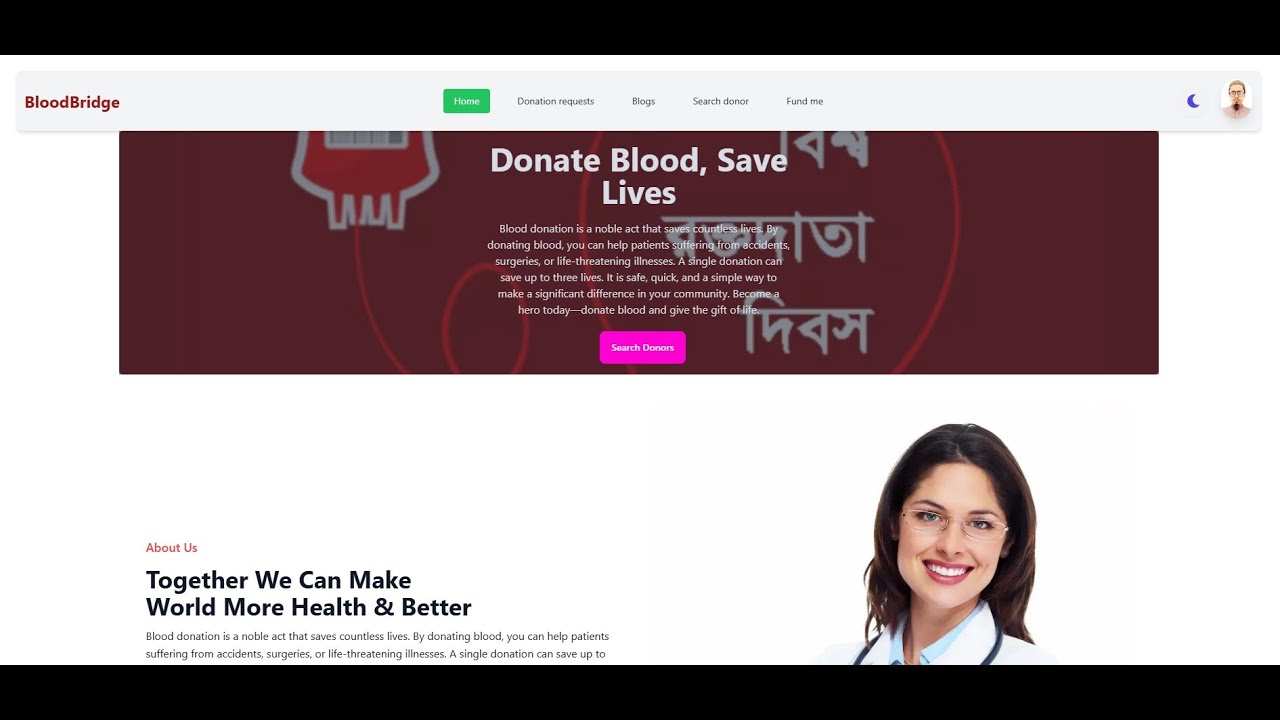
🔗 Live Site
🔗 GitHub Repositories
- Server Repository: server-side-engrsakib
- Client Repository: client-side-engrsakib
🌟 Core Functionalities:
User Role Management:
- Admin 🌐: Full control of the platform, including user management, donation requests, funding, and content publishing.
- Donor 🩸: Ability to register, view donation requests, respond to requests, and manage their own profiles.
- Volunteer 🤝: Permission to create and manage donation requests. Volunteers can update the status of blood donation requests.
- 💡 Admins can assign roles (e.g., Volunteer, Admin) or block users directly from the database.
🔒 User Authentication:
- Registration:
- Users can register with their email, name, avatar (via imageBB), blood group, district, upazila, and password. By default, every registered user becomes a "Donor."
- Default User Status: Active.
- Admins can block/unblock users, which updates their status accordingly.
- Login: Secure login with email and password. Social login is not required.
🔑 Private Dashboard:
- Profile Management:
- Users can view and edit their profile data, except for their email, which remains static.
- Admins can manage all users, while donors and volunteers manage only their own data.
Donor-Specific Features:
- Recent Donation Requests: Donors can view their top three recent requests on the dashboard homepage.
- Full Donation History: Paginated view of all donation requests with filtering options (
pending,in-progress,done,canceled). - Create Requests: Donors can submit detailed blood donation requests, including recipient details, location, and donation dates.
Note: Only active donors can create requests.
Admin-Specific Features:
- Dashboard Statistics:
- View total users, total funding, and total donation requests in real-time.
- User Management:
- Block/unblock users, assign roles, and manage user statuses through a detailed table with pagination and filters.
- Global Request Management:
- Manage all blood donation requests, edit statuses, and delete requests.
- Content Management:
- Publish/unpublish blogs, edit and delete content, or add new blogs through a rich text editor.
Volunteer-Specific Features:
- Request Management:
- Volunteers can only update the statuses of donation requests (e.g., from "pending" to "in-progress").
- Content Contribution:
- Volunteers can add blogs but cannot publish or delete content.
🌐 Public Pages:
- Home Page:
- Includes registration, donor search, contact information, and a responsive footer.
- Search Donors:
- Users can filter donors by blood group, district, and upazila.
- Donation Requests:
- Public view of all pending donation requests, with options to view more details after logging in.
- Blogs:
- Published blogs are accessible publicly, with detailed views for each blog.
💳 Payment Integration:
- Funding Page:
- Users can make financial contributions via Stripe integration.
- Displays total funds and detailed records of donations (e.g., donor name, amount, and date).
📅 Additional Features:
- Pagination:
- Implemented across all tables and lists (e.g., user management, donation requests, and funding records).
- Sorting & Filtering:
- Sorting by date, status, or categories to ensure streamlined navigation.
- JWT Protection:
- Secure private APIs and routes using JSON Web Tokens (JWT), stored in the browser’s local storage.
🎨 User Experience:
- Fully responsive design for mobile, tablet, and desktop devices.
- Rich text editing for blog content using Jodit-react.
🛠️ NPM Packages Used:
- React Icons: For enriching the UI with scalable icons.
- React Lottie: To add engaging animations effortlessly.
- React Date Picker: For intuitive and user-friendly date input functionality.
- React-Simple-Typewriter: To add dynamic typing effects.
- React Awesome Reveal: For stunning animation effects during element entry.
- AXIOS: Used for efficient data fetching and API integration.
- Framer Motion: For adding smooth animations to enhance the user experience.
- Sweet Alert/Toastify: To provide feedback on user actions with notifications and alerts.
📺 Video Demo:
Watch the complete demonstration of BloodBridge on YouTube:
<iframe width="560" height="315" src="https://www.youtube.com/embed/BlnfVZZfuL4?si=cf9hV9_J0WN-e0BY" title="YouTube video player" frameborder="0" allow="accelerometer; autoplay; clipboard-write; encrypted-media; gyroscope; picture-in-picture; web-share" referrerpolicy="strict-origin-when-cross-origin" allowfullscreen></iframe>💡 Contribution:
Contributions are welcome! If you want to contribute, please fork the repository and create a pull request. For major changes, open an issue first to discuss what you would like to change.
📞 Contact:
For any inquiries or support, feel free to reach out at:
Email: [email protected]
Thank you for visiting! Let's make BloodBridge a better platform together.